An ad-free home screen for Android TV and Google TV.
StartLight replaces the home screen of your TV. No ads, no account, no recommendations you did not ask for: your apps, in the order you choose.
In closed testing. Public release on Google Play to follow.
What it does
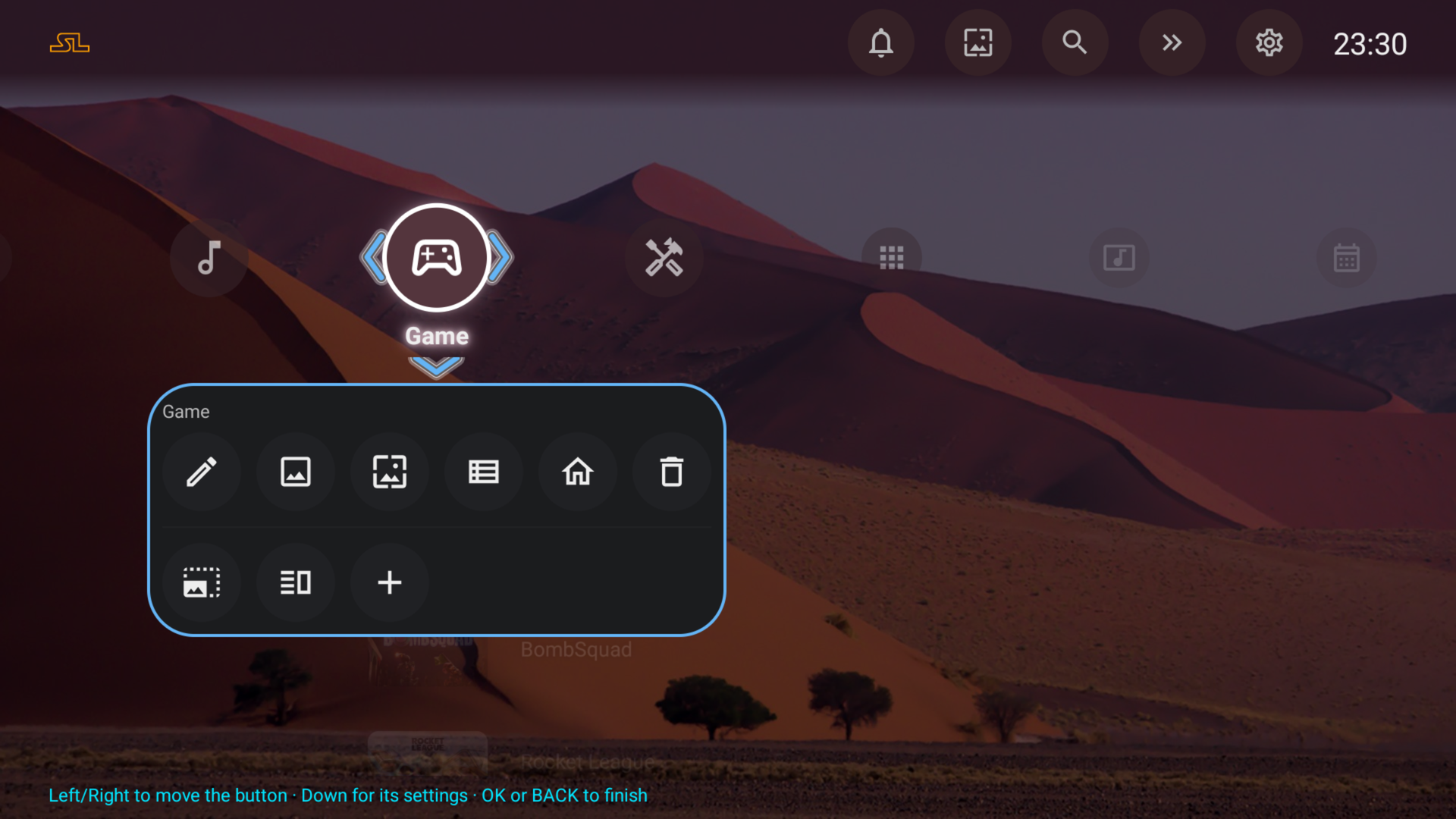
Everything is set up from the home screen itself: a long press on a tile, a row, a menu button or a bubble opens its settings.
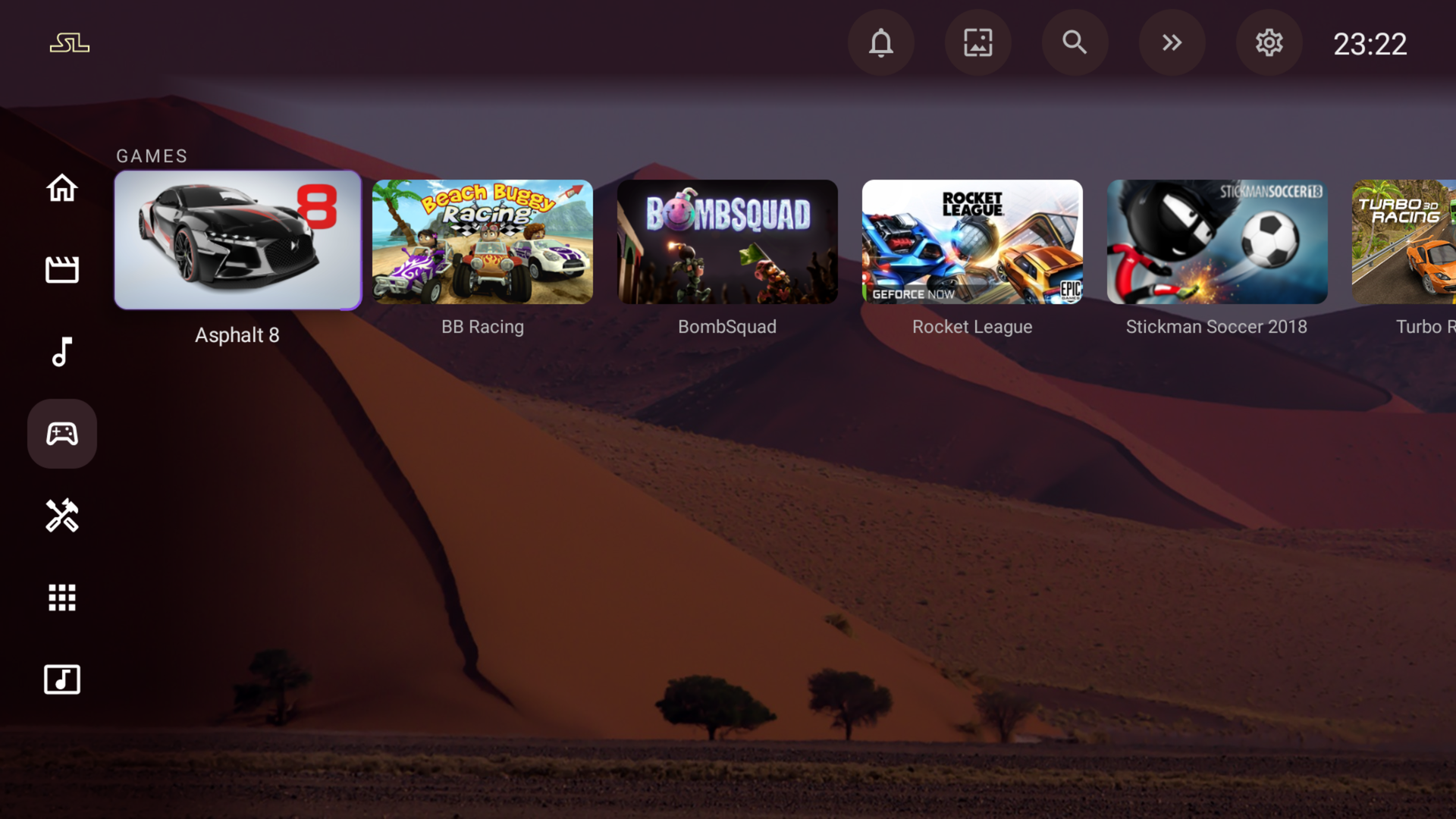
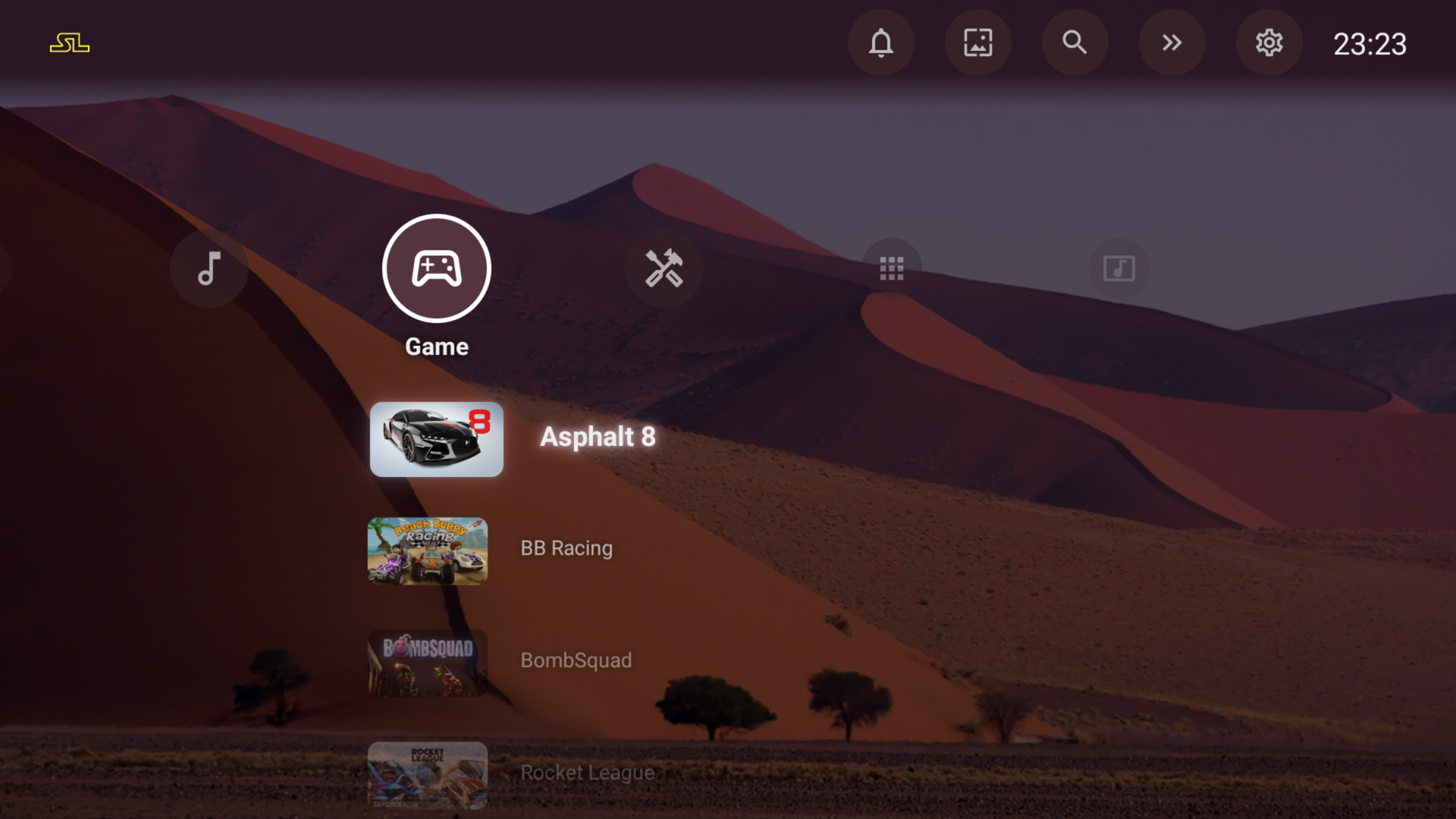
Home and menus
- Menu as a column on the left, or as a cross (Pro).
- Menu buttons can open a page or trigger an action: settings, switch menu, next wallpaper.
- Jump to an app by its first letter.
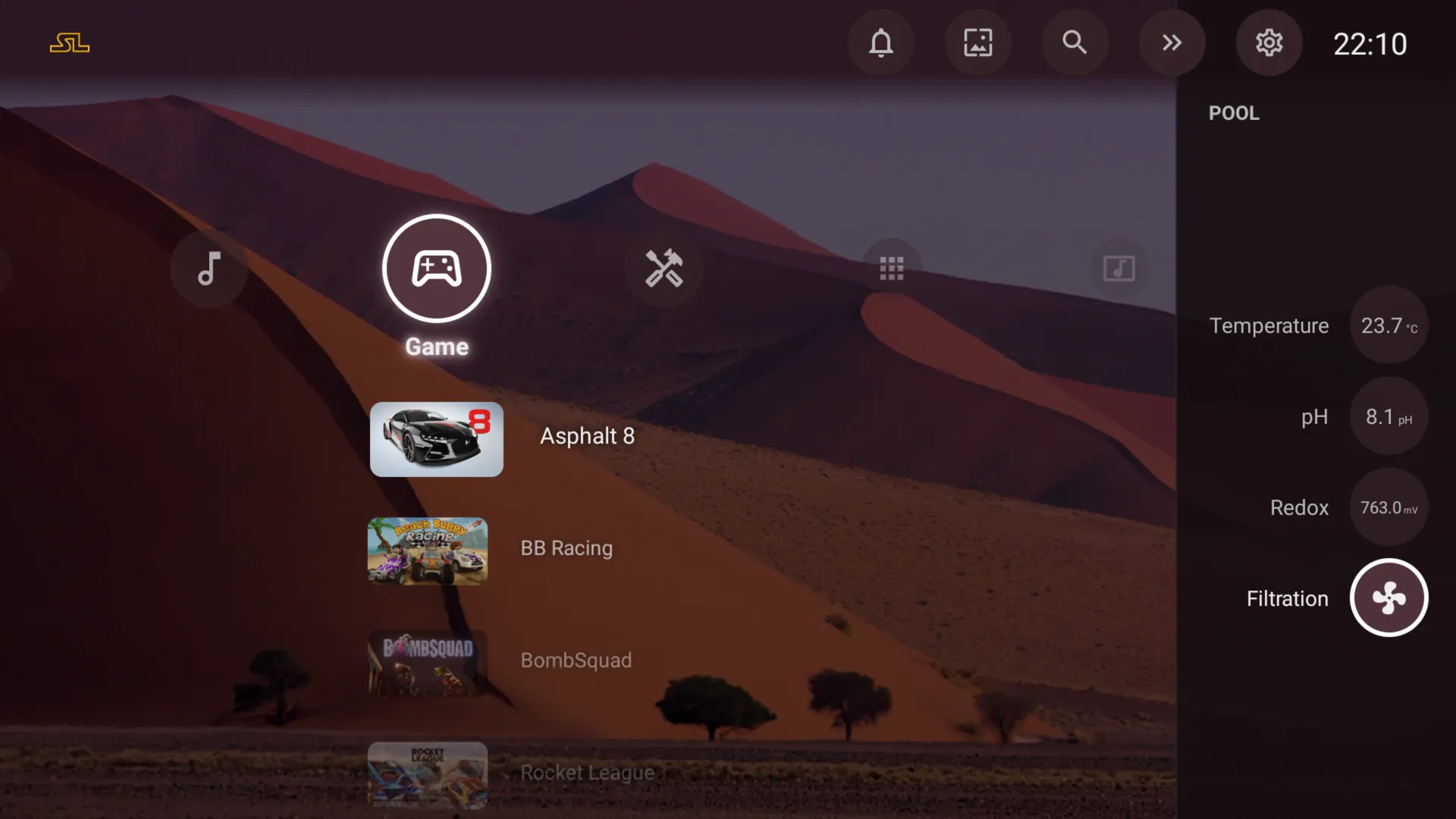
- Top bar and right dock, both configurable.
- Notification panel and now-playing banner.
Content
- App rows, grids and strips.
- “Watch next” and the channels published by your TV apps.
- Physical inputs of the TV (HDMI and others).
Appearance
- Four layout presets: Comfort, Compact, Large tiles, Plain.
- Seven accent colours, four typefaces, six focus effects.
- Tile shape per row: 16:9, square, poster, banner, round.
- Icon packs and custom icons; 110 built-in Material icons.
Wallpapers
- Plain colour or gradient.
- Your own image or video, sent from a file manager.
- Online sources: Reddit, Wallhaven, a shared Google Photos album, any address. Automatic change, one wallpaper per menu button.
Screensaver
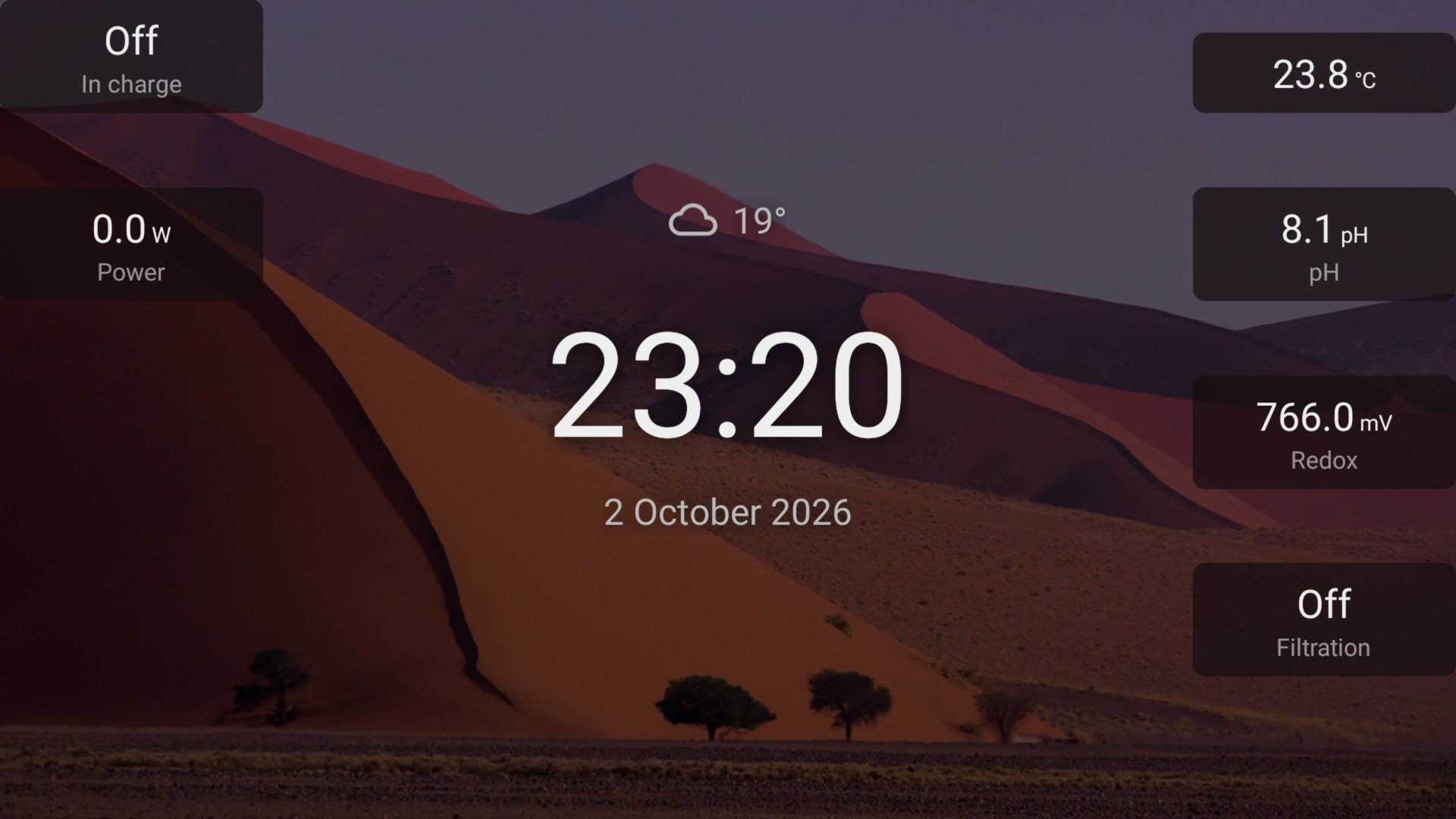
- Clock, now playing, detailed weather, calendar (iCal), ticker.
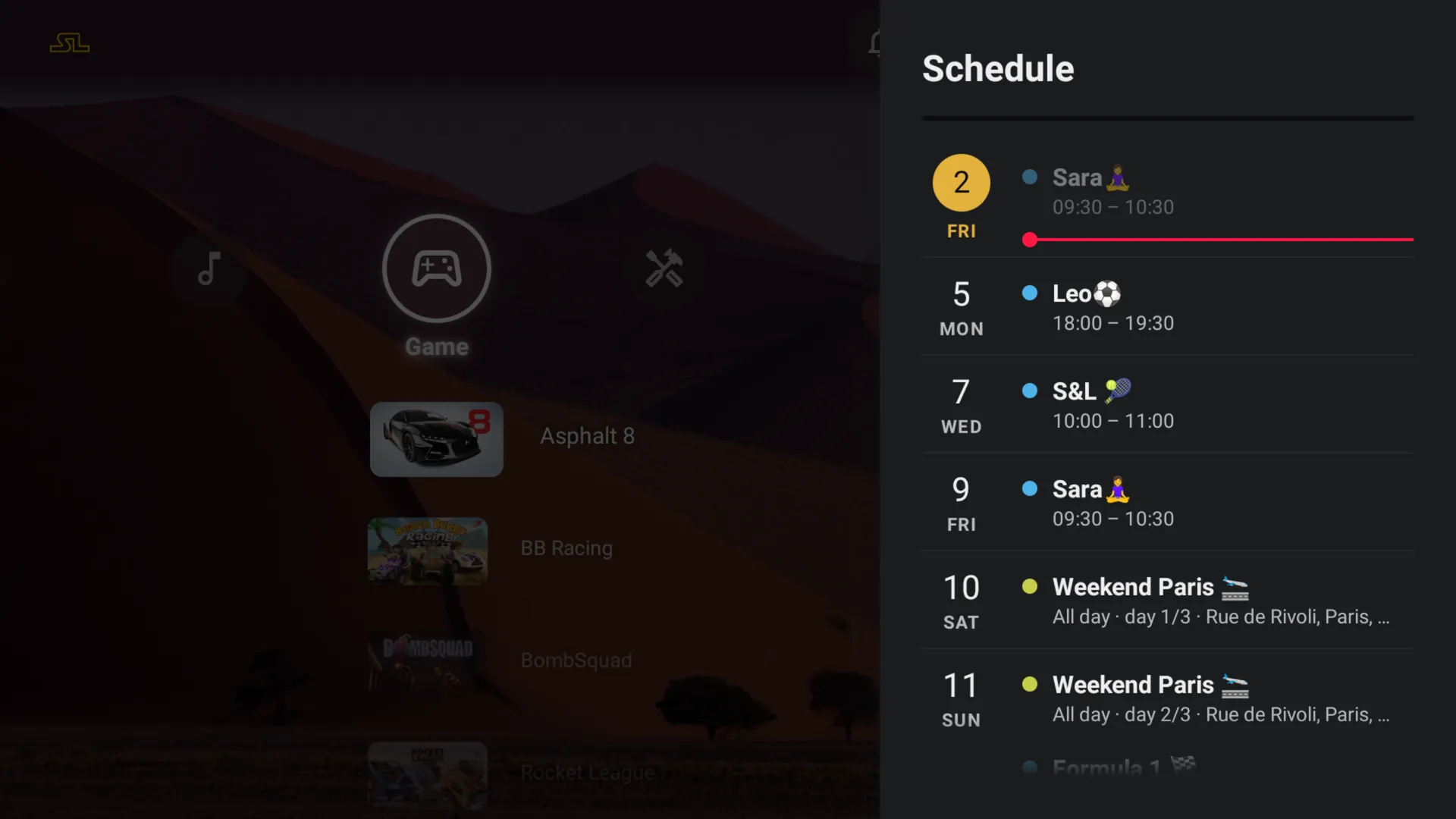
- Schedule: the next 30 days of your calendars.
Home automation
- Home Assistant: a Home row, dashboards, bubbles, values shown on the screensaver.
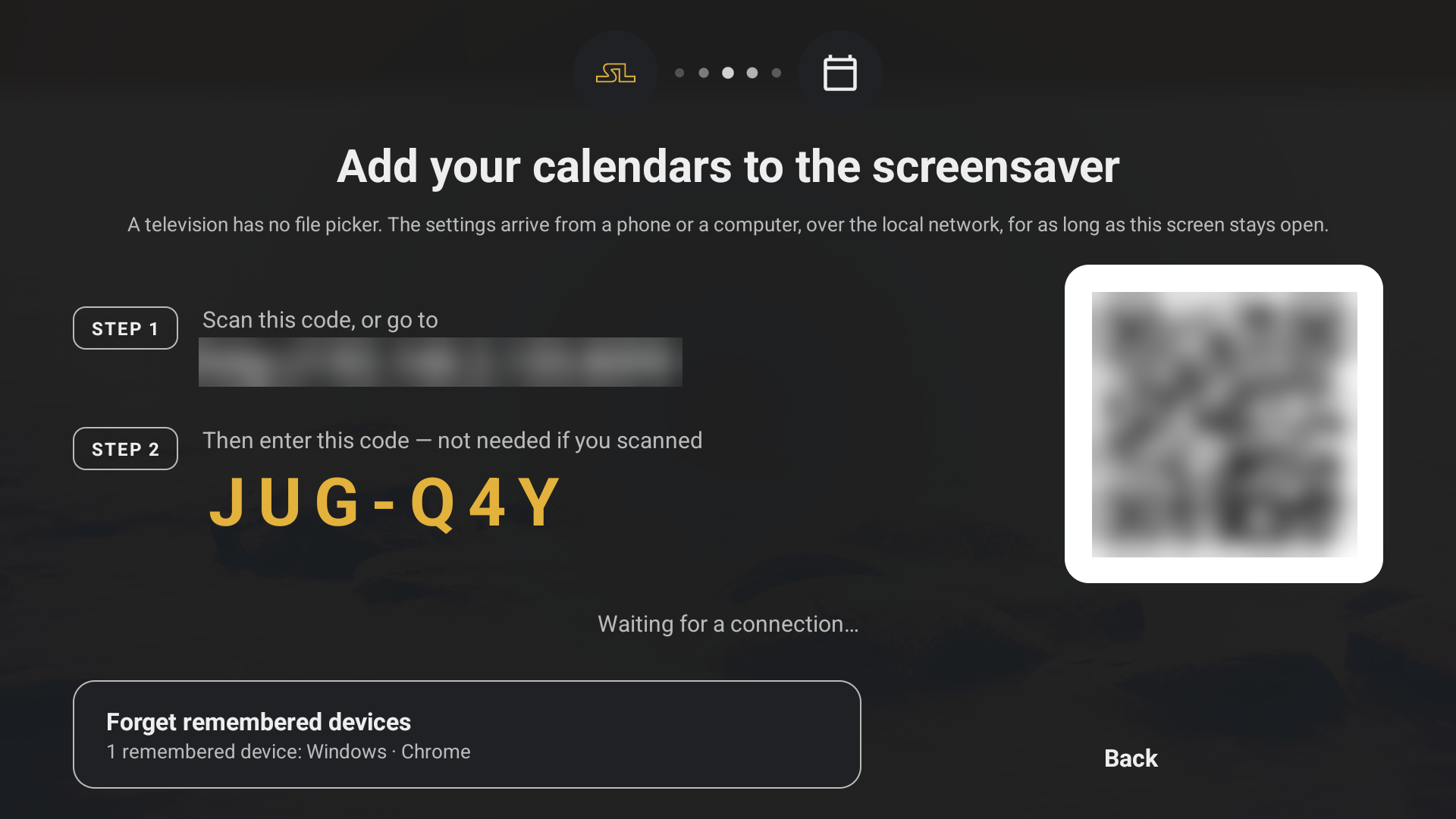
- Set up from your phone on the local network, by QR code or pairing code.
System
- An app of your choice opened when the TV starts.
- Parental code, with time windows.
- Task manager and a Health page.
- Rename, re-icon or uninstall any app.
- Backup and restore, to a file or your phone.
Safety
- Recovery mode after three failed starts or five presses on BACK: the TV cannot be locked out by its home screen.
- TalkBack support.
Make StartLight your Home button
On Android TV, you pick StartLight when the TV asks which home screen to use. On many Google TV devices, the Home button keeps opening Google TV, and launchers fall back on an accessibility workaround that a system update can switch off.
TV Slim, our free and open-source tool, does it properly: from a Windows computer or an Android phone on the same network, it disables the factory home screen over ADB, and StartLight becomes the only one. Nothing is uninstalled, and every change can be undone.
- Free and open source (Apache 2.0), published on GitHub.
- Reversible: packages are disabled, never uninstalled, and the log restores everything in one click.
- Also switches off the ads, telemetry and preinstalled apps that weigh a smart TV down.
- Nothing to install on the TV; a Windows 10 or 11 computer, or an Android 8+ phone.
Free and Pro
StartLight is free. Pro is a single purchase, not a subscription, valid on every TV signed in to the same Google account.
| Feature | Free | Pro |
|---|---|---|
| Layout presets, top bar, right dock | Yes | Yes |
| App opened at start-up, task manager | Yes | Yes |
| Column menu | Yes | Yes |
| Weather: top bar, screensaver, weather values (humidity, wind, UV index, rain) | Yes | Yes |
| Cross menu | — | Yes |
| Online wallpaper sources | One source | Several, mixed; automatic change; “Next wallpaper” |
| One wallpaper per menu button | — | Yes |
| Accent, typeface, focus effect, row styles | — | Yes |
| Icon packs and custom icons | — | Yes |
| Custom screensaver values, calendars | — | Yes |
| Schedule | — | Yes |
| Home Assistant | Up to 3 entities | Up to 60; dashboards, bubbles |
| Parental code | One app | All apps, time windows |
| Hide the logo | — | Yes |
| Backup and restore | — | Yes |
Without Pro, nothing is deleted: Pro settings stay saved and come back as soon as Pro is bought.
Specifications
| Android | Android TV 8.0 (API 26) and later |
| Input | Remote control; touch is not required |
| Version | 1.4.3 |
| Languages | English, French, German, Spanish, Italian, Portuguese, Russian |
| Size | About 4 MB |
| Tested on | TCL Smart TV Pro (Android 14), Nvidia Shield, Xiaomi Mi Box 4, Android TV emulator |
| Account | None |
| Ads, analytics | None |
Permissions
| Internet, network state | Wallpapers, weather, Home Assistant, Pro purchase checked by Google Play; the network icon in the top bar |
| TV listings | “Watch next” and the channels published by your apps |
| Stop background apps, request uninstall | Task manager and app list; uninstalling always goes through Android’s confirmation |
| Usage access (optional) | Usage time and storage per app |
| Notification access (optional) | Your notifications and what is playing; nothing is sent |
| Shizuku (optional) | Process details in the task manager |
Questions
How do I get rid of the ads on the Google TV home screen?
Replace the home screen. Install StartLight Launcher, then make it the default: on Google TV, TV Slim disables the factory home screen from a computer or a phone, without uninstalling anything. Your apps stay; the promoted rows go.
Can StartLight be the default launcher on Google TV?
Yes. On Android TV, choose it when the TV asks which home screen to use. On Google TV, the factory home screen has to be disabled: TV Slim, free and open source, does it over ADB from a Windows computer or an Android phone, and undoes it in one click.
Does it work with Home Assistant and Google Calendar?
Yes: a Home row, live values in the right dock and on the screensaver, and the next 30 days of your calendars — Google Calendar, iCloud or any iCal address.
Is StartLight free?
Yes. Pro unlocks the options listed above for a single payment, on every TV of the same Google account.
What leaves my TV?
From the first start, the online wallpaper: a fresh install fetches its images from the suggested sources — Reddit, and Wallhaven with Pro — until you choose another wallpaper. Beyond that, only what a setting you enable requires: the wallpaper addresses you add, the weather services (MET Norway, and OpenStreetMap to find the city) if you enter a city, your calendars, your own Home Assistant. A Pro purchase is checked on the TV itself, from Google Play’s signature: nothing is sent to us. There is no account, no advertising and no usage tracking.
What if something goes wrong?
StartLight watches its own start-up. After three failed starts, or five presses on BACK, it hands control over to recovery mode, so the TV always remains usable.
Can I set it up from my phone?
Yes. The TV shows a QR code; your phone opens the settings page on the local network. Nothing goes through the internet.
Which devices does it run on?
Android TV and Google TV devices from Android 8.0 onwards. It is tested on a TCL Google TV, an Nvidia Shield and a Xiaomi Mi Box 4.
What happens to my Pro settings if I uninstall?
Pro is tied to your Google account and comes back on reinstall. Settings live on the TV: make a backup first if you want to keep them.