Your calendars on the TV
StartLight reads iCal calendars — Google Calendar, iCloud, or any .ics address — and shows the next 30 days in a panel on the right, one press away. Each calendar can also show its next event on the screensaver.
Calendars are part of StartLight Pro. Free and Pro
- 01
Open the calendar settings
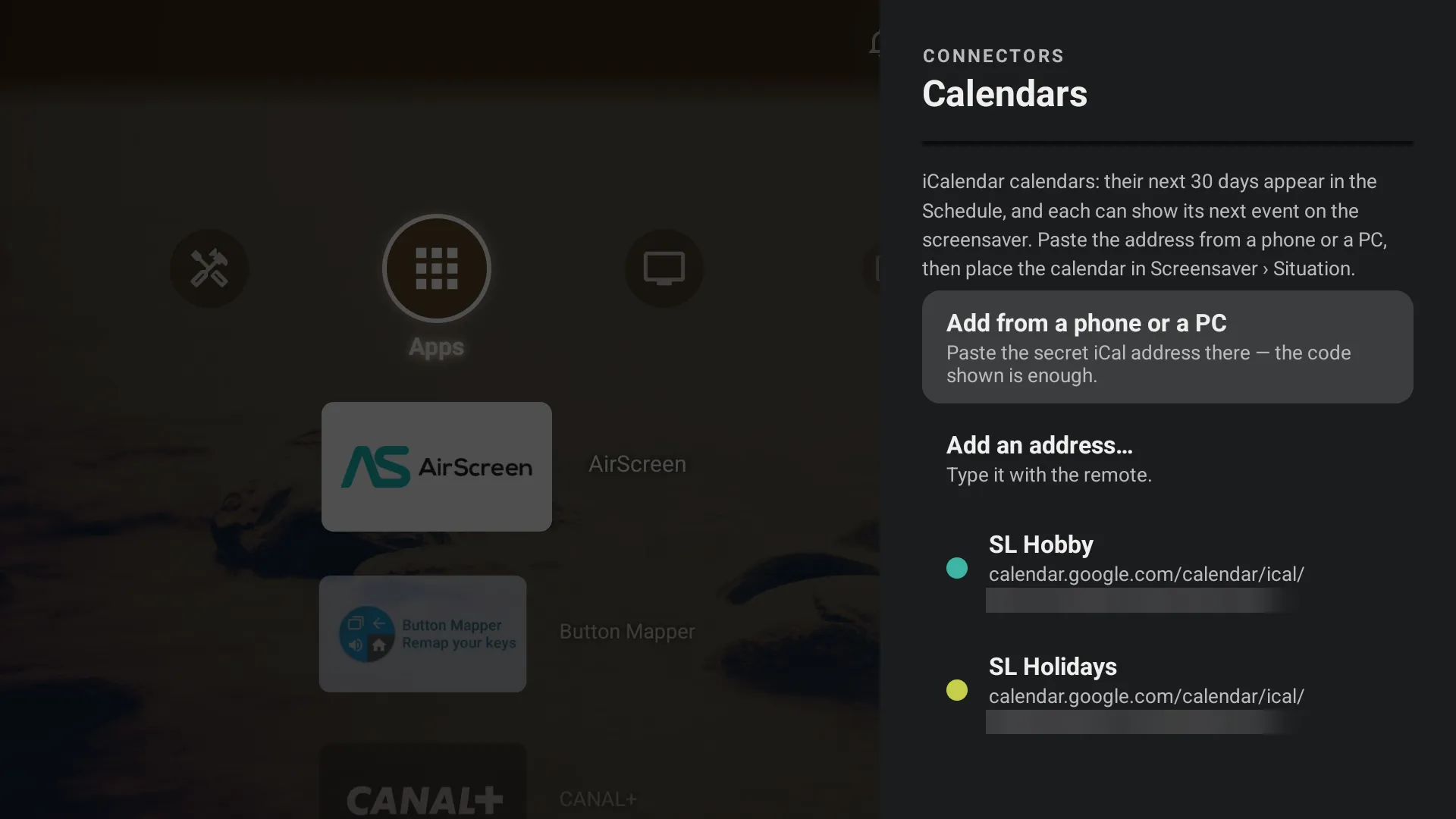
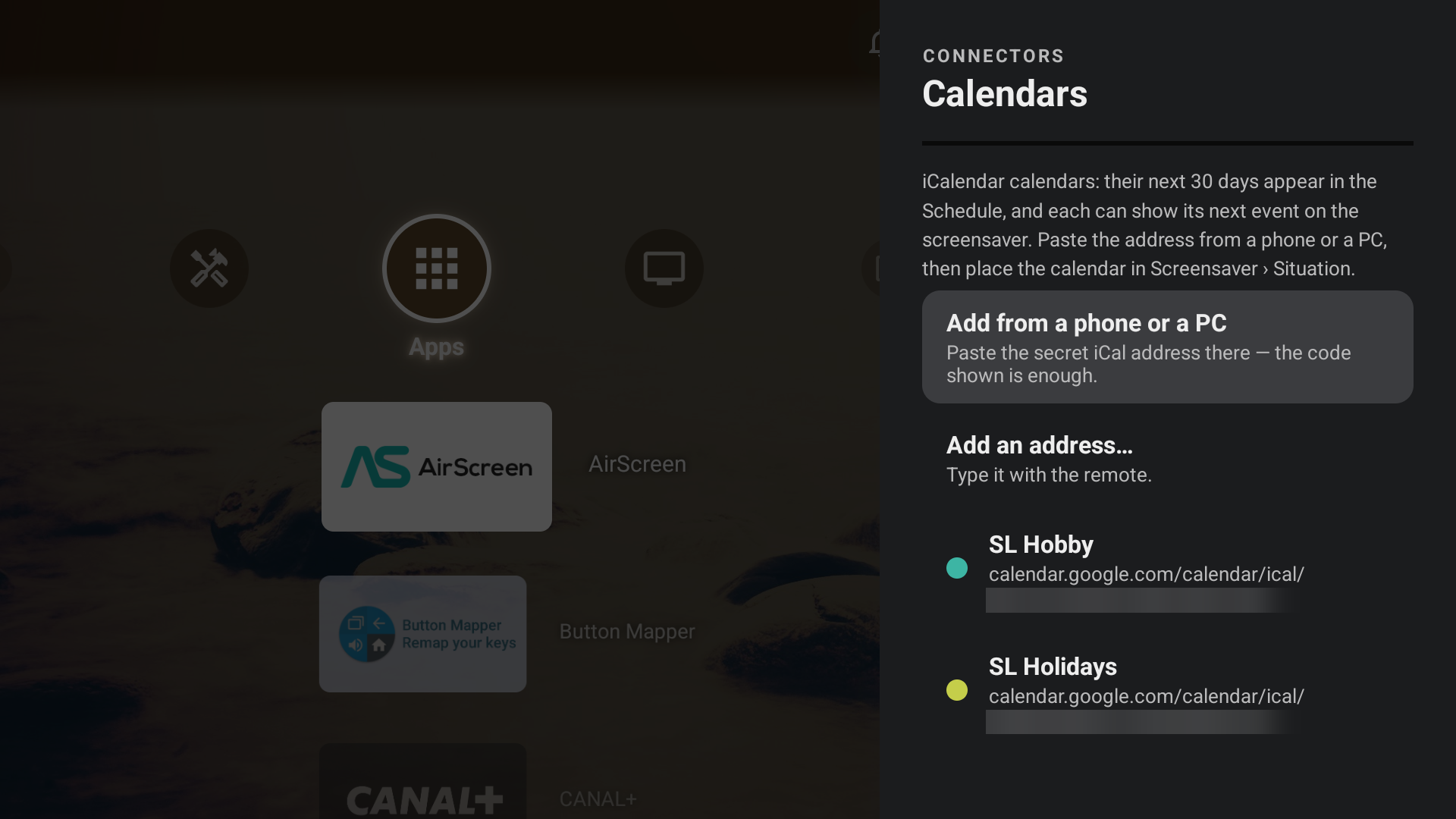
Settings › Connectors › Calendars. Choose “Add from a phone or a PC”: pasting an address is quicker than typing it with the remote, which also works.
- 02
Scan the code
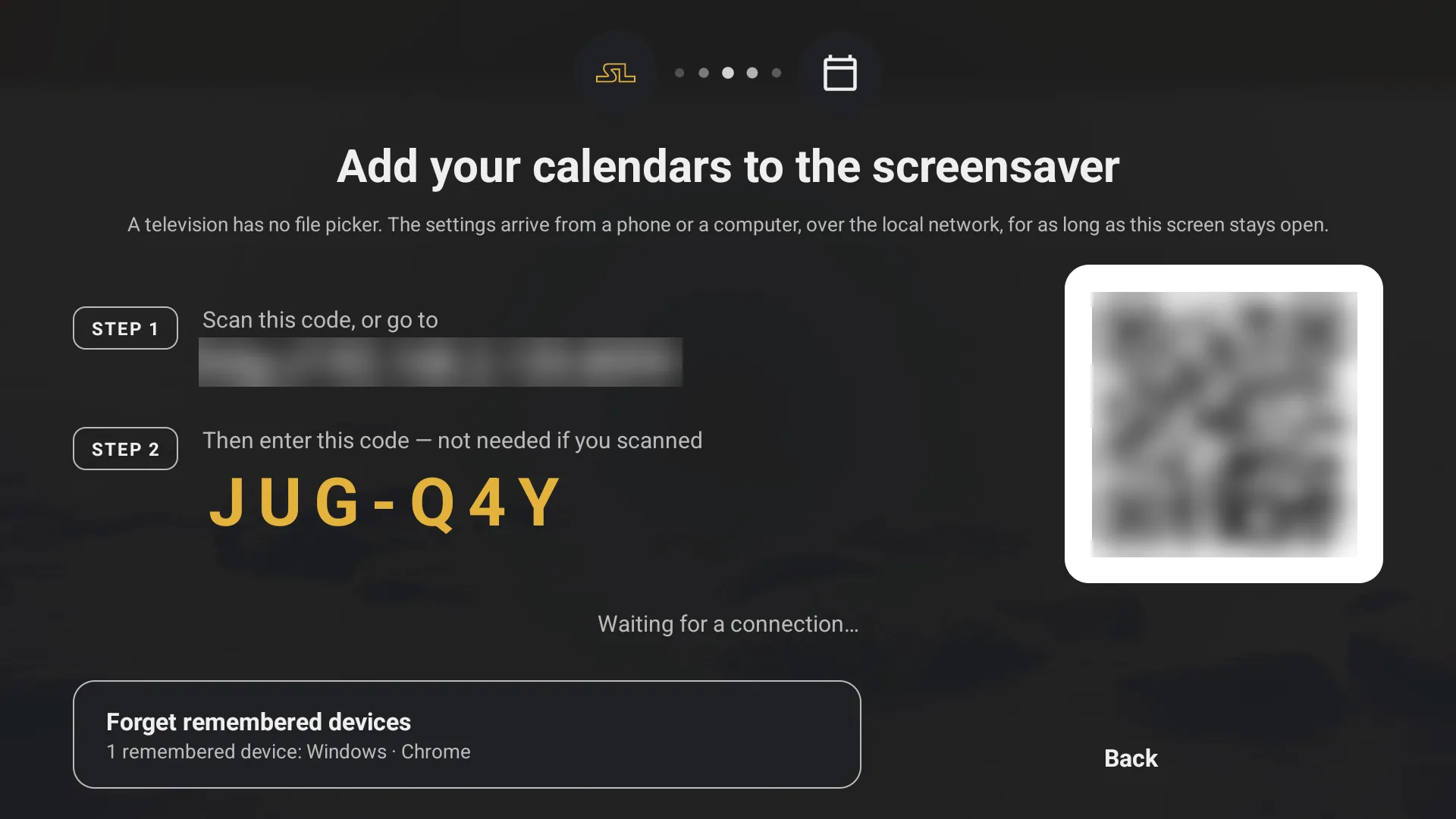
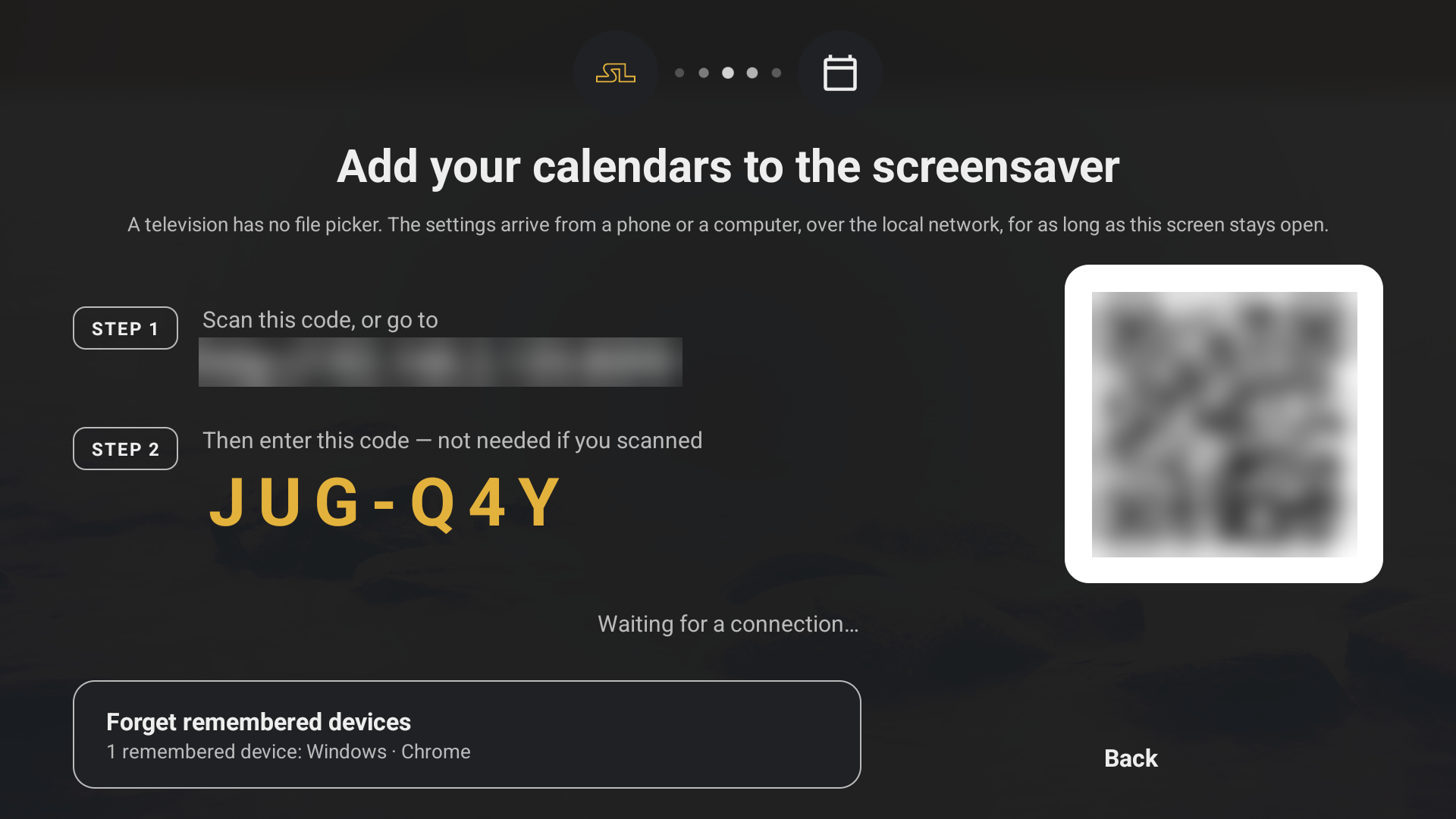
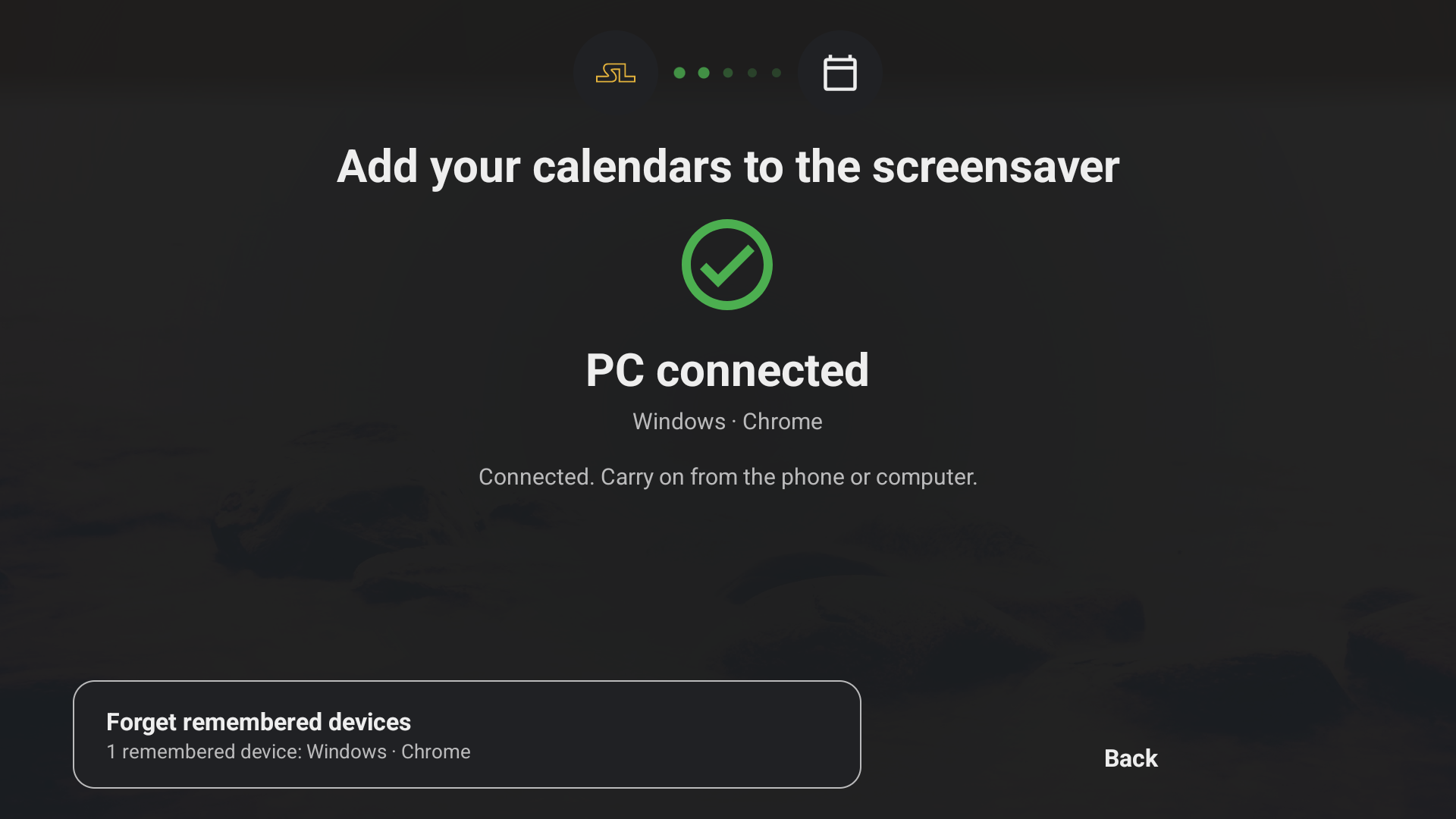
The TV shows a QR code and a short pairing code. Scan it with your phone, or type the address in a browser on your computer. Everything stays on your local network.
- 03
Paste the address
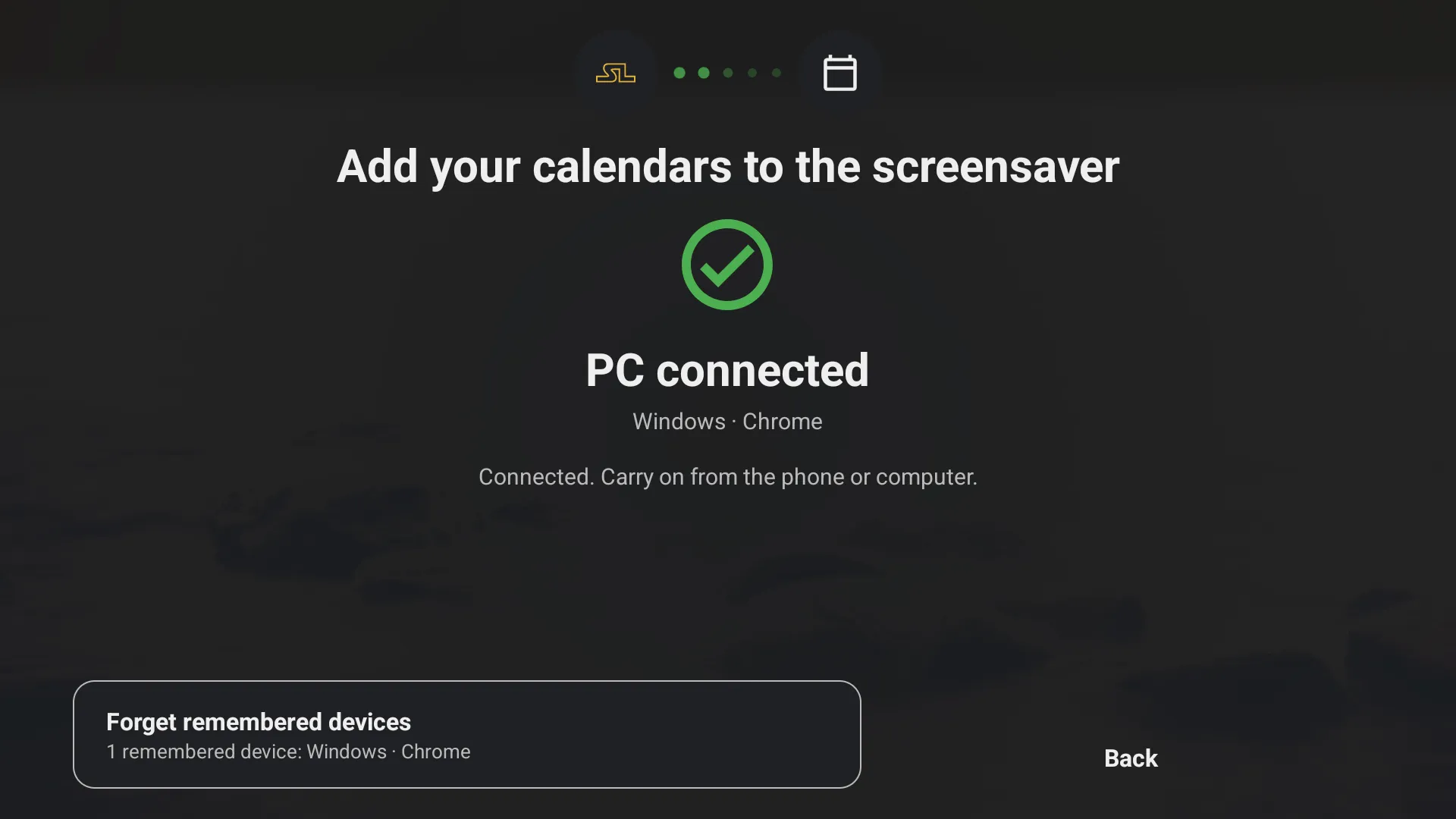
Once connected, paste the calendar’s iCal address on your phone or computer. The TV reads it before adding it, and tells you its next event.
- 04
Open the Schedule
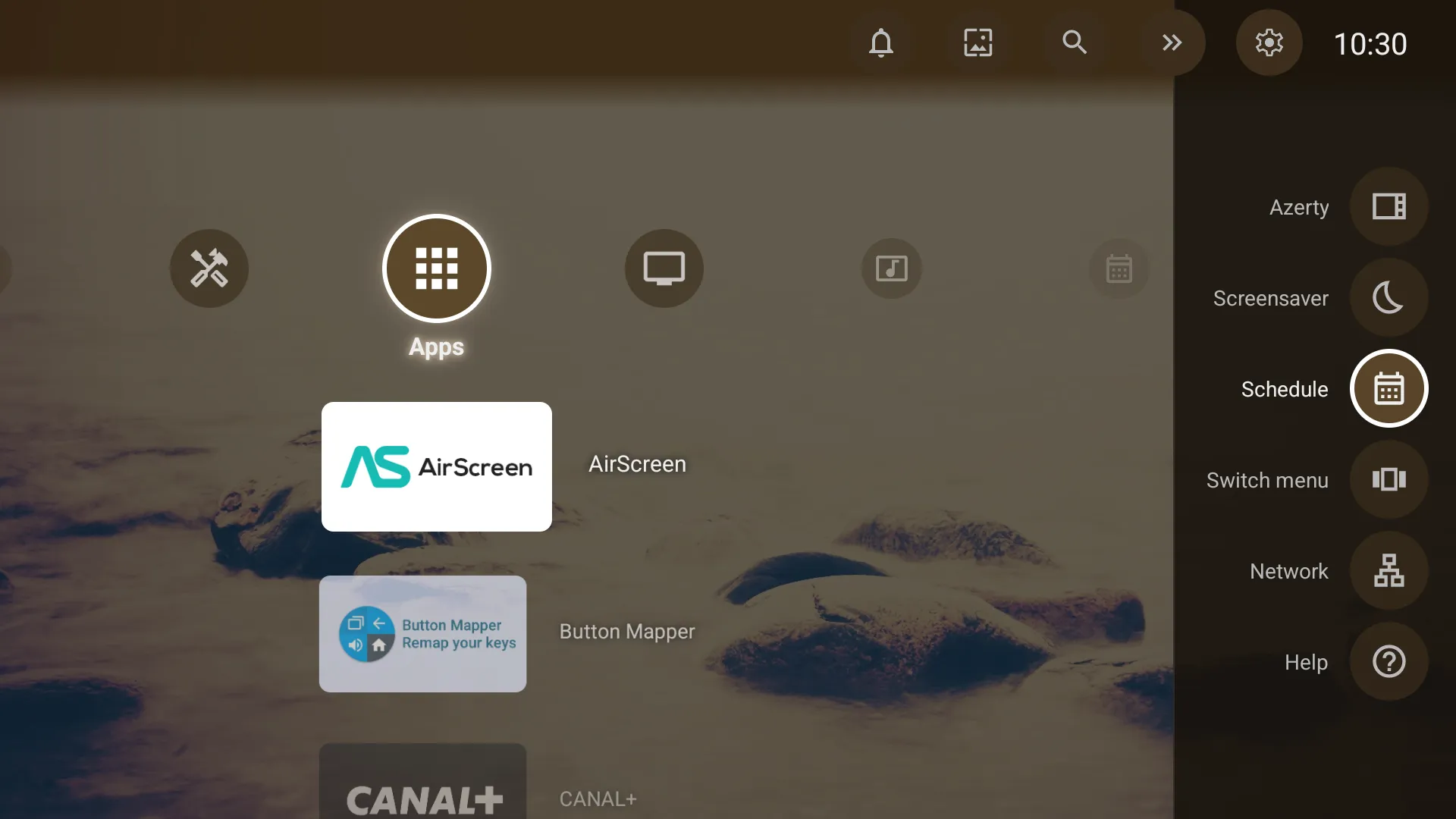
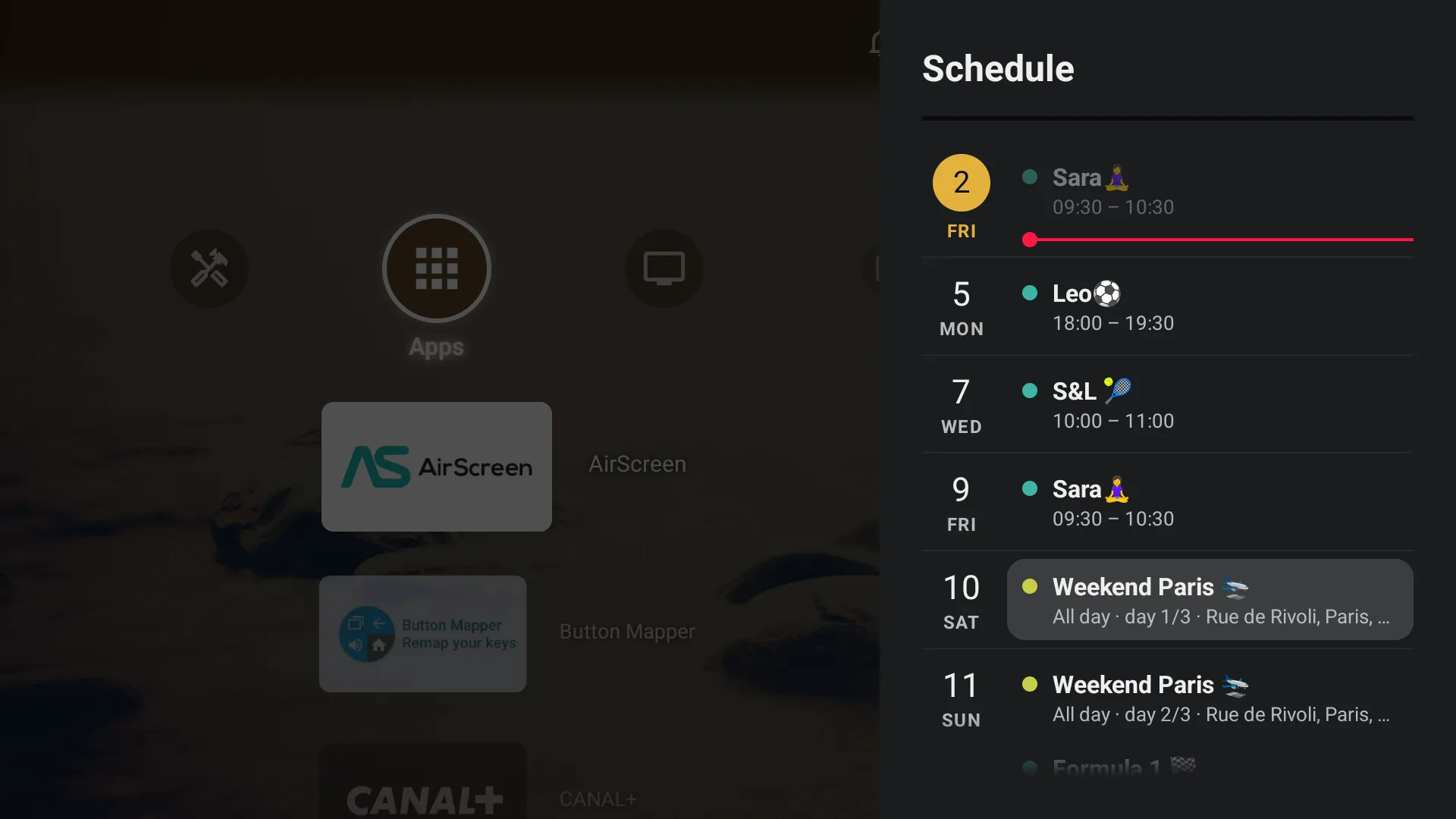
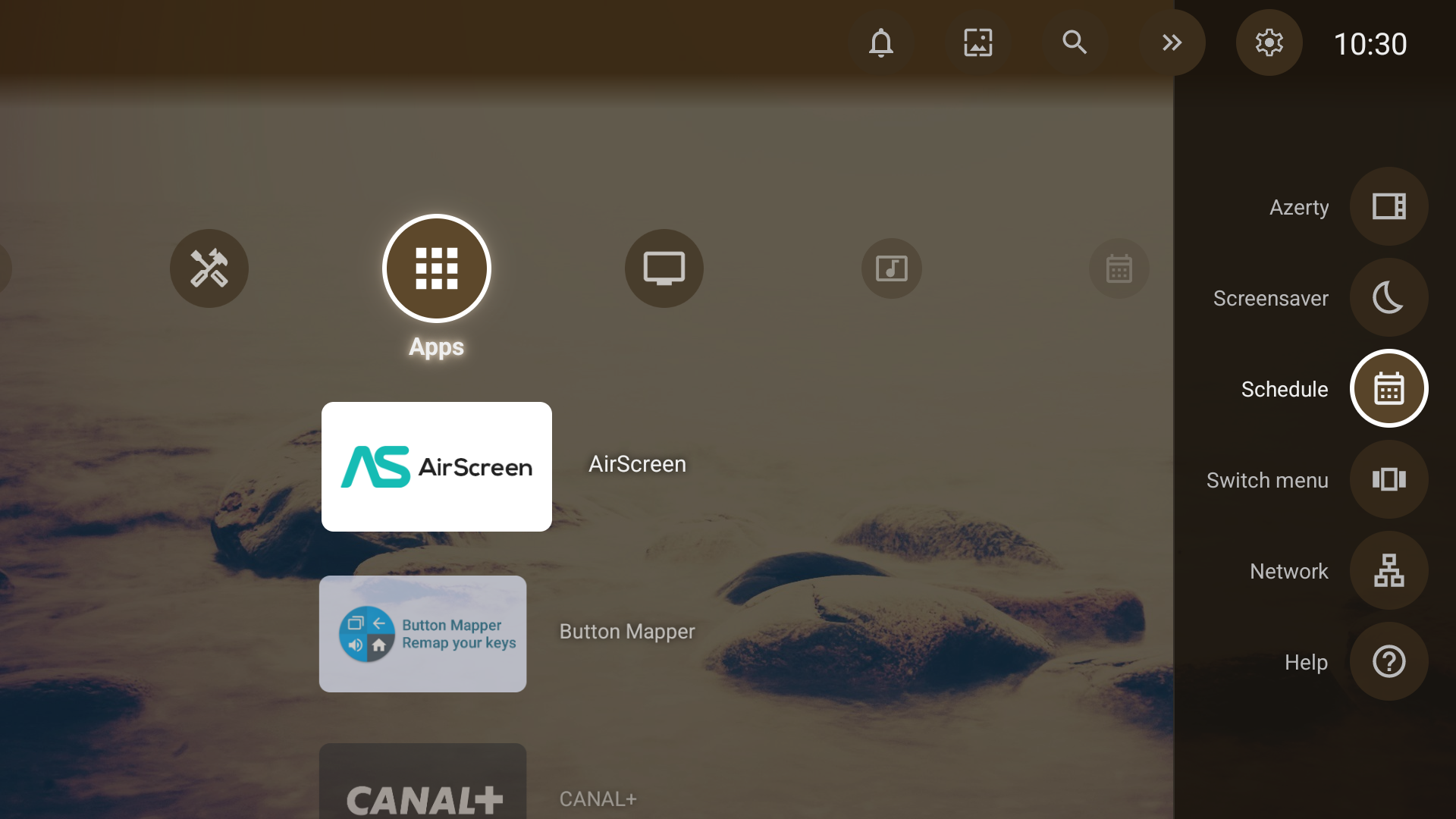
The Schedule button sits in the right-hand panel, and your first calendar adds one at the end of the menu. Move it, or remove it: it does not come back on its own.
- 05
The next 30 days
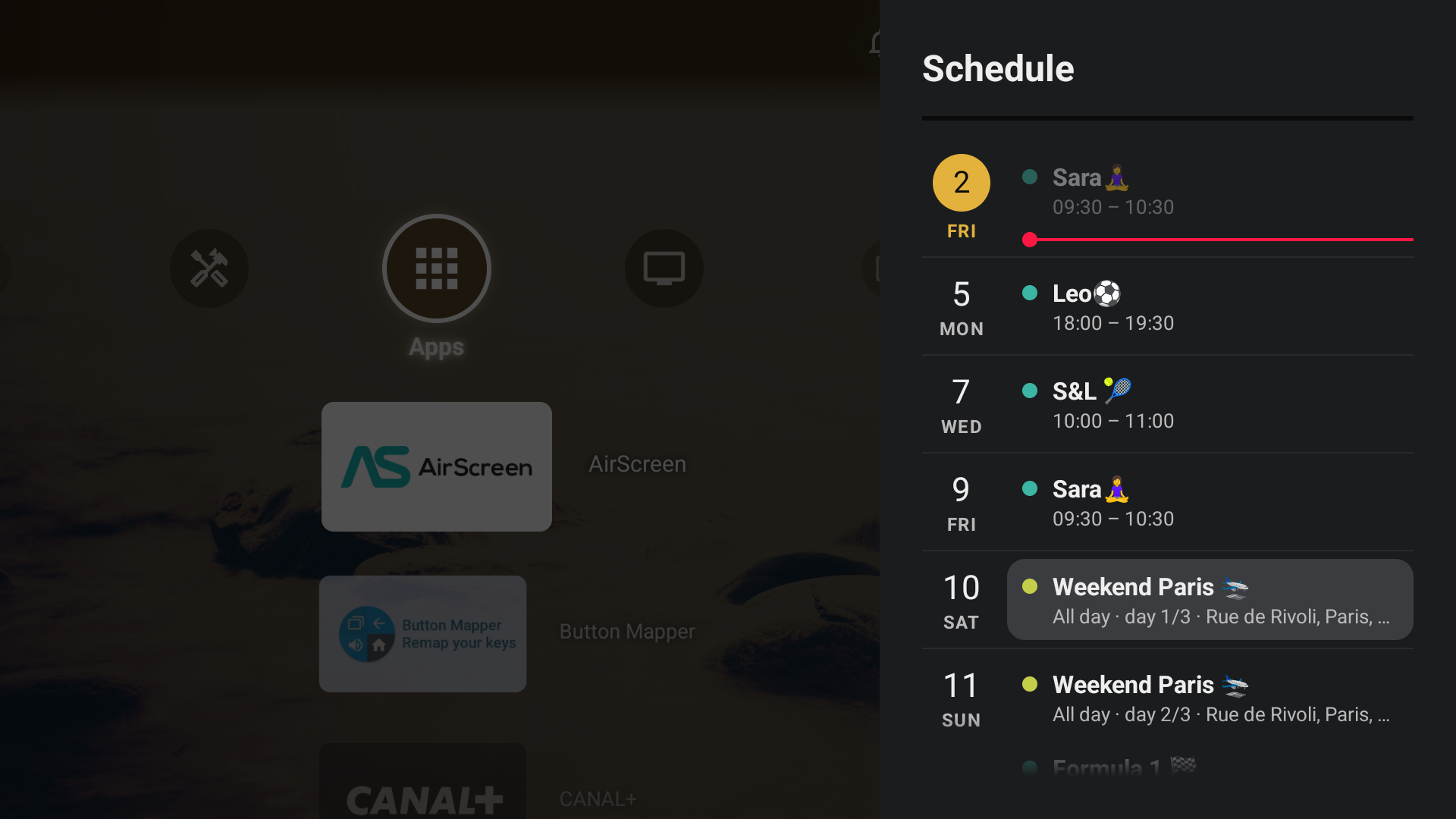
Today in amber, a red line for the current time, one colour per calendar. All-day and multi-day events show on each of their days.
- 06
Every detail
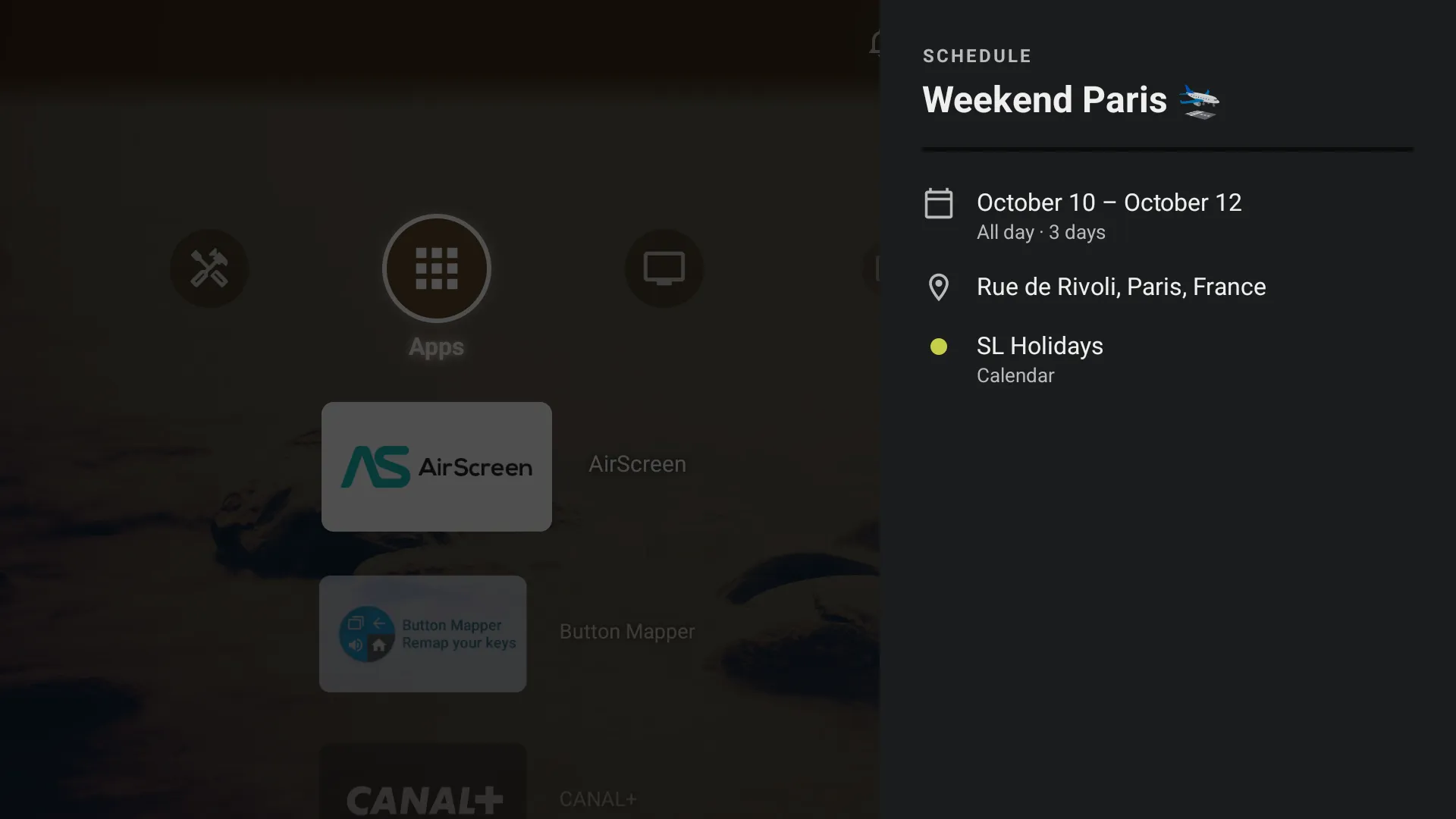
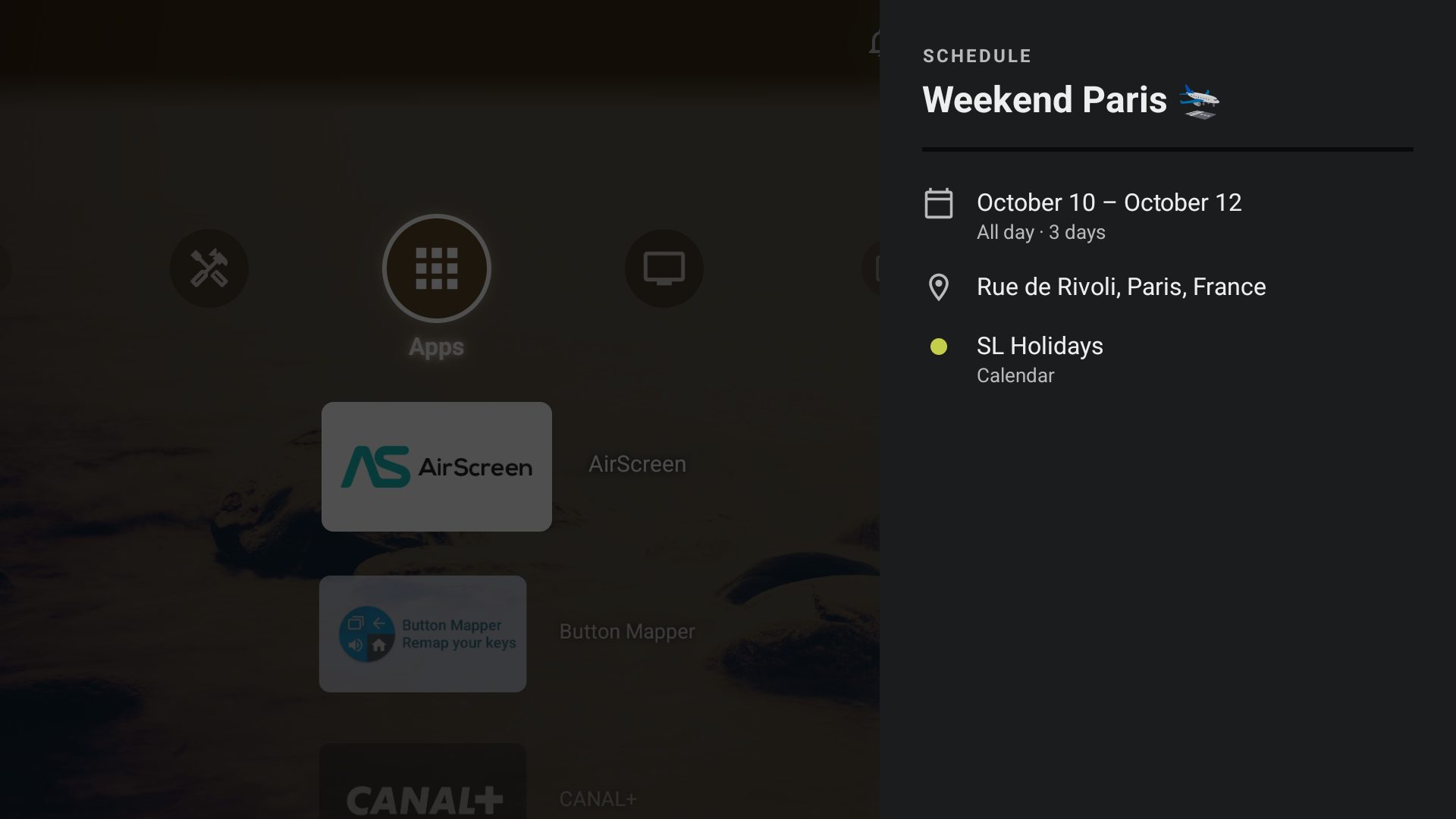
Select an event to see its dates, its place and the calendar it comes from.
Where to find the address
Google Calendar
On a computer: Settings, then the calendar, then “Secret address in iCal format”. Not the sharing link. Your calendar stays private: this address is enough, keep it to yourself.
iCloud
Share the calendar publicly and copy its webcal:// link.
Other
Any iCal (.ics) address over https://, or http:// on your local network.
Good to know
- Up to 10 calendars, each with its own colour.
- The address goes from your phone to the TV over your local network. The TV then reads the calendar itself: nothing goes through our servers.
- A calendar that cannot be reached stays in the Schedule, with the time it was last read.
- To show a calendar’s next event on the screensaver: Settings › Screen › Screensaver › Situation.